
Learn with Chord Compass
Piano Sight Reading App: Four Options Compared
Choose a piano sight reading app for note recognition, fresh exercises or reading assessment. Compare four options and learn where a music-reading book helps.
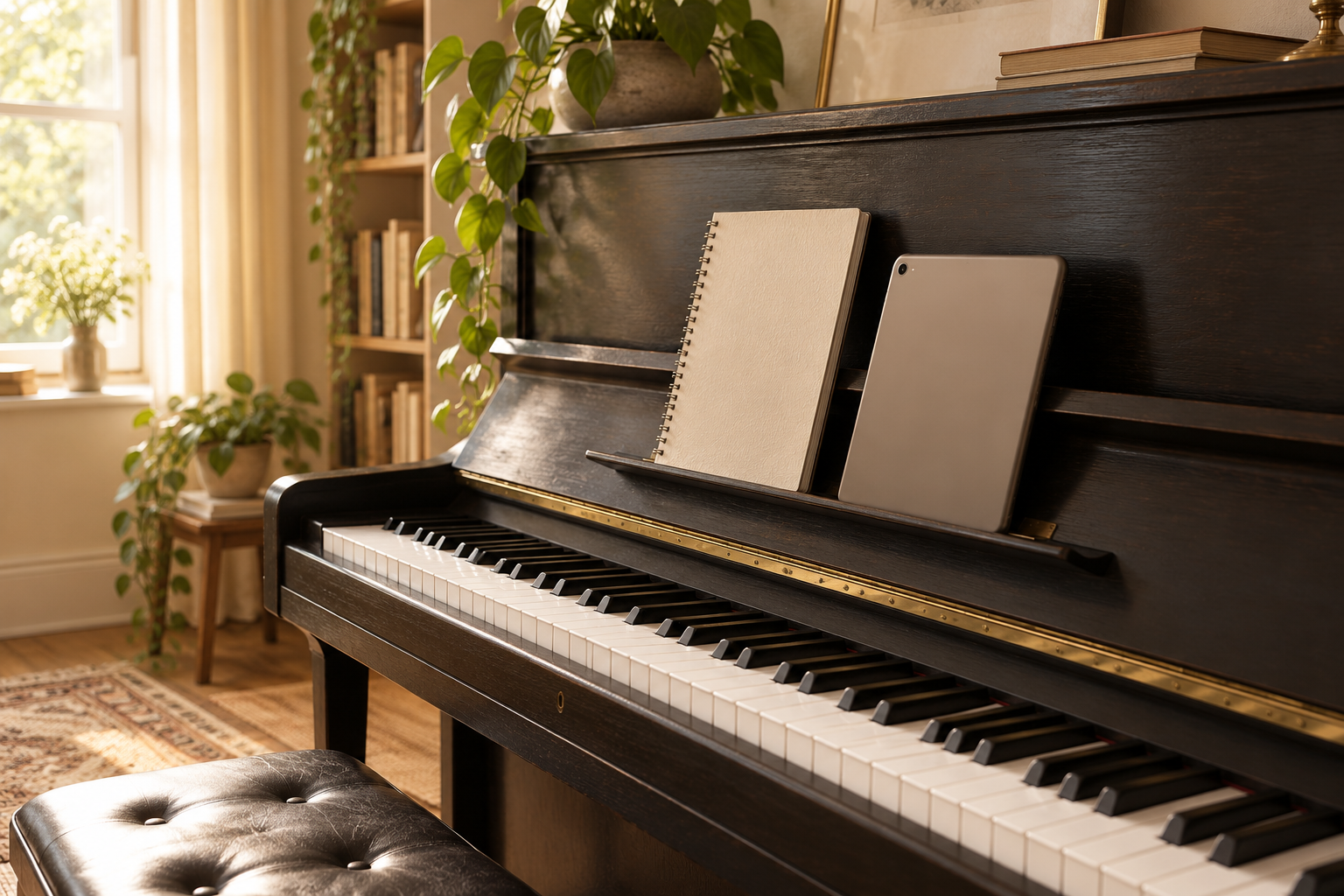
A piano sight reading app can help you find notes, practise unfamiliar music or check what you played. Those are different jobs. Choose the tool that addresses the part of reading that currently interrupts your playing, rather than collecting several apps that repeat the same drill.
This comparison uses the developers' public feature descriptions checked in October 2026. It is not a hands-on performance test, and the order is not a ranking. Alongside four apps, we explain where Chord Compass Academy's reading book can support the underlying concepts. The book is a downloadable PDF, not an app.
Choose the reading task
Note identification means recognising a written pitch and finding its key. Sight-reading adds the challenge of performing unfamiliar notation with rhythm, coordination and continuity. You can recognise every note in a phrase yet still lose the beat while deciding when to play it.
Start by describing a recent difficulty. “I cannot find bass-clef notes” suggests a narrow recognition drill. “I can name the notes but stop at every bar” suggests easier unfamiliar passages and rhythm preparation. “I do not understand the symbols” calls for explanations before timed practice.
| Your immediate need | Option to investigate | What to check |
|---|---|---|
| Reading assessment within a wider piano platform | Piano Marvel | SASR access and your instrument connection |
| Fresh passages with adjustable musical content | Sight Reading Factory | Piano difficulty, note range and available assessment modes |
| Connecting staff notes to played keys | Note Rush | Microphone or wired MIDI setup |
| Progressive clef and note-recognition drills | Complete Music Reading Trainer | Relevant clefs and preferred input method |
| Understanding notation away from an app | Reading Music, Decoded, Edition 2 | Whether the two-chapter preview suits your starting point |
The Open University's explanation of clefs and pitch positions shows why reading needs a reference point. A symbol on the same staff line can represent a different pitch when the clef changes. An app should help you notice that context.
Piano Marvel
Piano Marvel combines a piano-learning library, practice tools and its Standard Assessment of Sight-Reading, called SASR. Its public site lists access on iOS, Android, Windows, Mac and Chromebook. The SASR description says that the excerpts presented depend on previous scores, with a history of results available to review.
This makes it an option to investigate if you want reading assessment alongside other piano activities. Check which features are included in the account you are considering and how your keyboard or acoustic piano will work with your particular device.
Keep practice modes distinct. Piano Marvel describes a mode that waits while you find the notes. That can help when learning a passage, but stopping to search is a different task from reading an unfamiliar passage through with a steady pulse. Choose the mode deliberately.
Do not treat a software score as an external qualification or a complete judgement of your musicianship. Listen for phrasing and continuity as well as looking at the result.

Sight Reading Factory
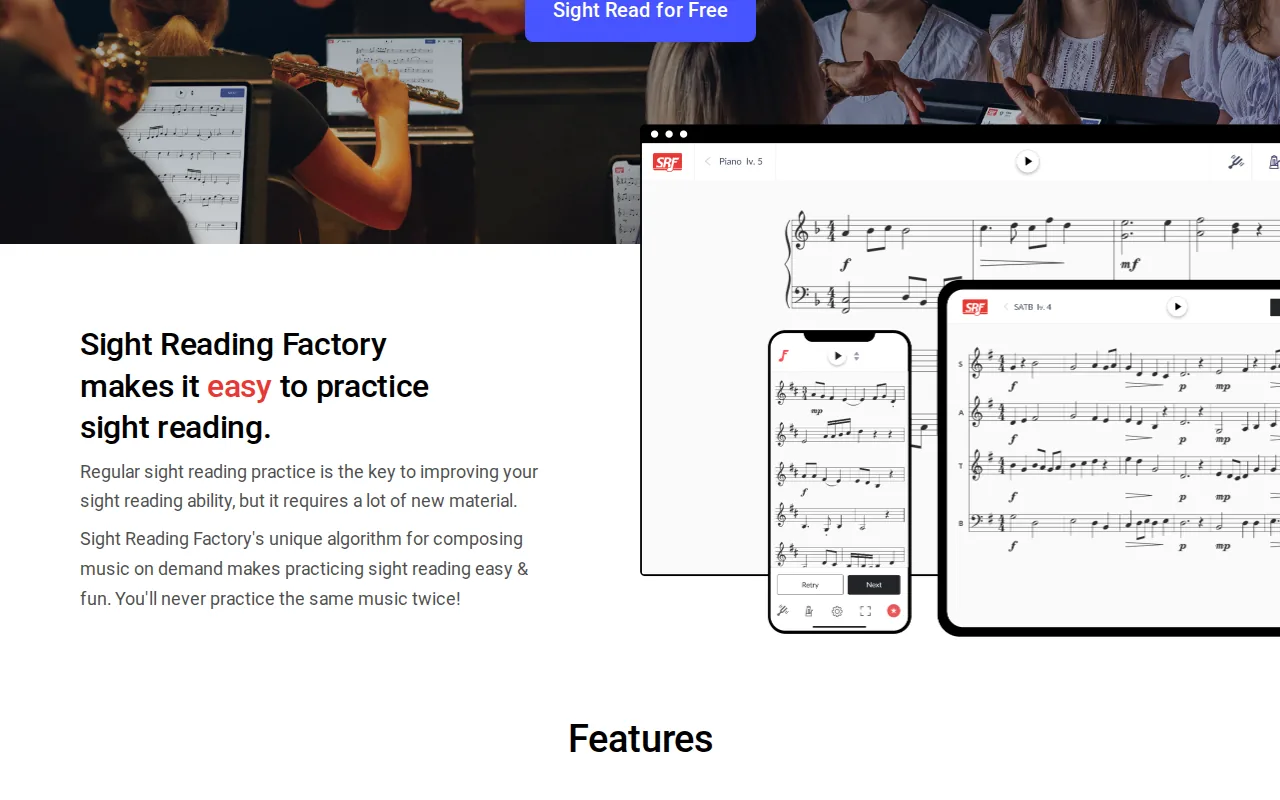
Sight Reading Factory generates new exercises, including piano material, and lets users adjust features such as note range, rhythms, leaps, accidentals and key signatures. Its website describes browser access and an iOS app.
It is worth investigating when you need unfamiliar material targeted at a particular reading problem. For example, you might keep the pitch range small while changing the rhythm, then expand the range once that feels manageable. Changing one difficulty at a time gives you a clearer sense of what caused a hesitation.
The service also describes Auto Assessment based on recordings. Do not assume every advertised assessment feature applies to every piano texture or device. Check the available options for the piano exercise you intend to use, especially when both hands play several notes together.
Fresh exercises and familiar repertoire serve different purposes. Use the former to encounter new patterns, while giving pieces you care about separate time for interpretation and detailed practice.
Note Rush
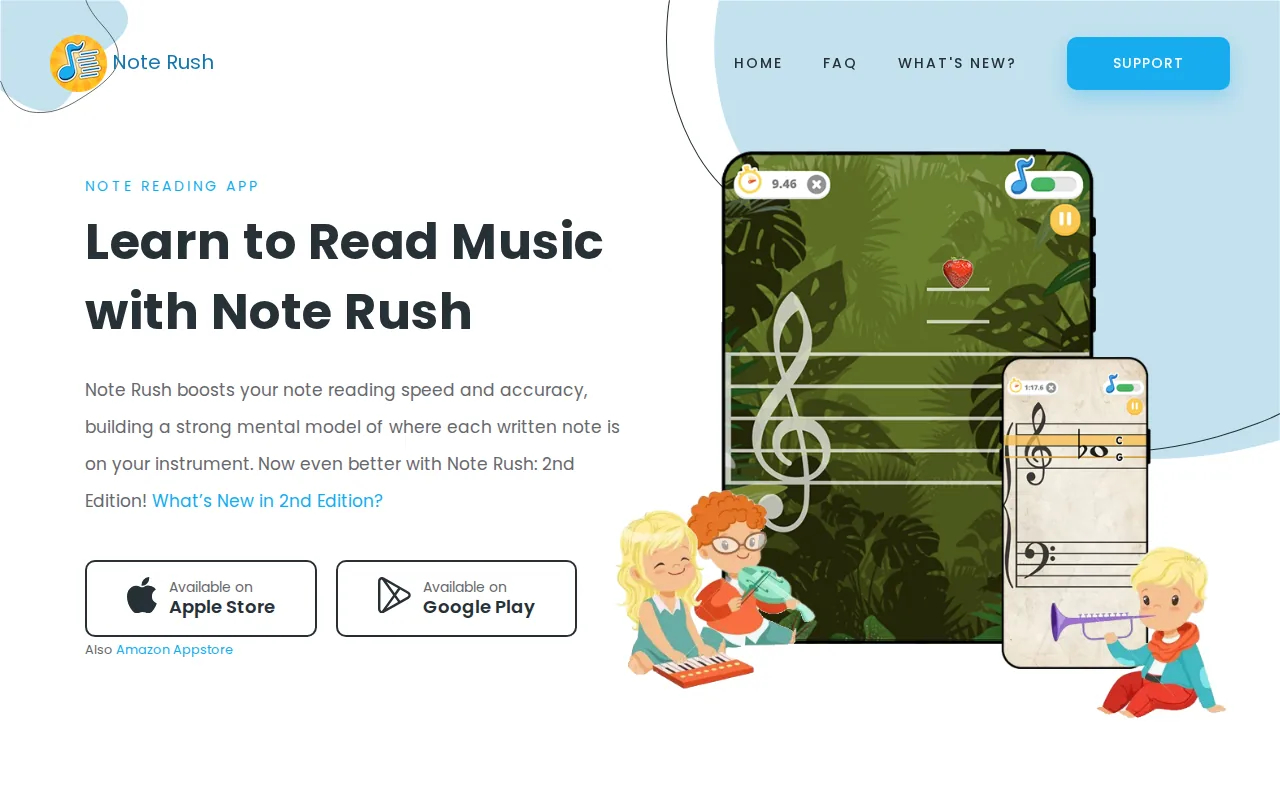
Note Rush presents notes for you to play on your instrument. Its public description compares the activity to flashcards with listening feedback. It offers preset and custom note ranges, optional landmark hints, and treble, bass or grand-staff practice.
The developer lists iOS and Android support and says wired MIDI input is available on both, alongside instrument listening. Confirm the cable and adapter requirements for your own keyboard and device before buying accessories.
This is a focused choice to investigate when you understand note names but take too long to connect the staff with the keyboard. Start with a small range you can check carefully. Add unfamiliar notes gradually instead of relying on a lucky guess to finish a timed round.
The limitation is the task itself: recognising separate pitches does not by itself train you to sustain a phrase's rhythm. Follow note drills with a short piece of notation containing durations and rests. Keep the timer hidden if it makes you guess instead of read.
Complete Music Reading Trainer
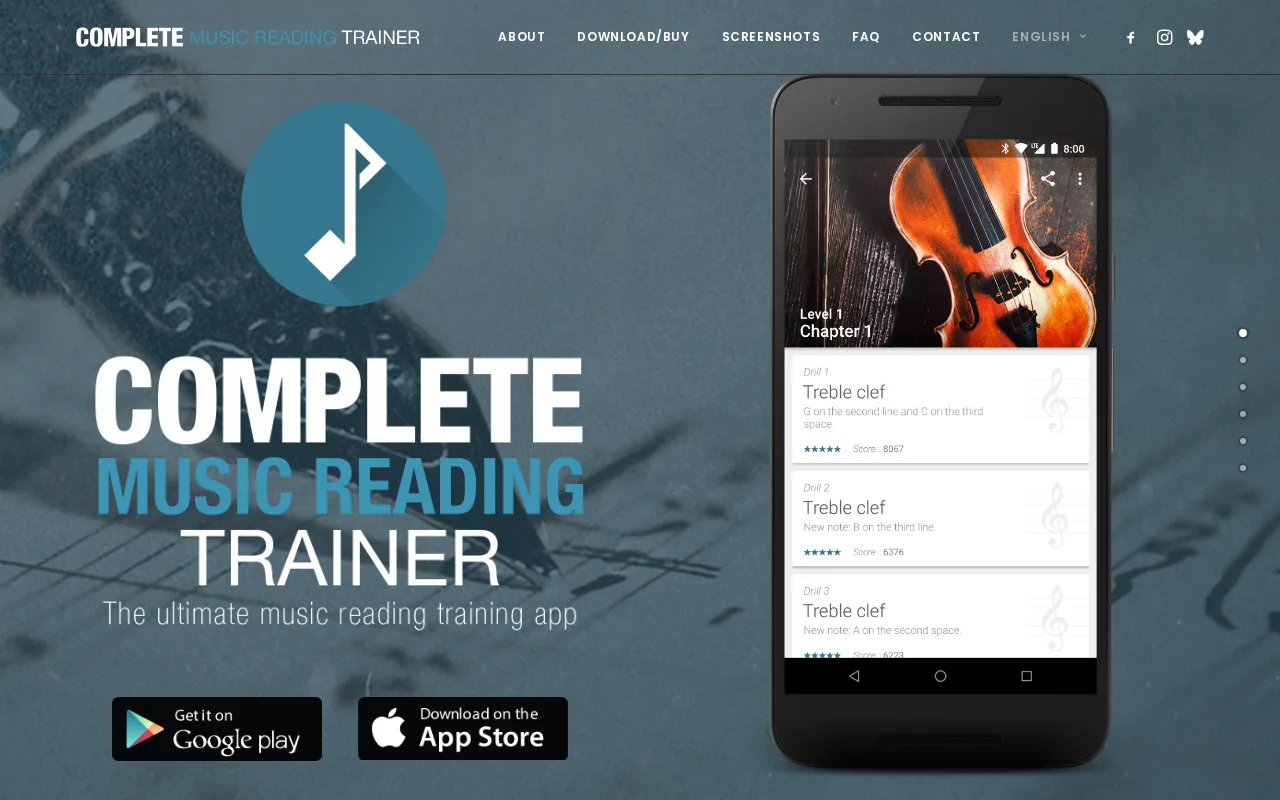
Complete Music Reading Trainer provides progressive drills across several clefs, custom exercises and mixed-clef practice. Its listed input methods include a note circle, an onscreen piano keyboard, MIDI and a microphone. The developer also describes a broader Complete Music Trainer product for browsers and desktop computers.
For a beginner pianist, the useful starting point is usually the treble and bass material relevant to your score. Extra clefs may interest you later, but they need not complicate your first practice sessions. Check the version and platform you intend to use because similarly named products can have different packaging.
A note-circle answer checks recognition; playing a physical key also checks the connection to your instrument. Pick the response method that matches your goal. If you practise away from the piano, revisit the same kind of notes at the instrument afterwards.
As with Note Rush, a strong drill score is only one part of reading. Add unfamiliar rhythms and phrases so that pitch recognition becomes useful in music.
A book companion
Reading Music, Decoded, Edition 2 is Chord Compass Academy's 150-page downloadable PDF. It belongs beside this comparison as an explanation-based resource, not as a fifth app or a replacement for automated feedback.
If you repeatedly miss a symbol because you do not understand it, more attempts may simply repeat the uncertainty. Pause the drill, work through the relevant explanation, then return to a short example. The book's product page offers a two-chapter preview, allowing you to judge its teaching style before purchasing.
For an immediate starting point, our piano sheet-music lesson connects staff positions, clefs and rhythm. You can use that explanation to decide whether your next practice task should focus on pitches, durations or reading both staves.
The PDF does not listen to your piano or award a score. Its role is to help you understand what the notation asks you to do, so that feedback from your own listening or an app is easier to interpret.
Check your setup
Before committing to a tool, confirm three usable details: your device is supported, you can read the notation comfortably, and your chosen input method works with the instrument you own. A large exercise library is not helpful if the staves are too small on your phone.
If microphone feedback behaves unexpectedly, compare the app's response with the sound you actually played. Background noise, overlapping notes and device settings can complicate detection. For MIDI, follow the developer's connection instructions rather than assuming a charging cable will carry the required data.
Check current regional prices, renewal terms and feature limits on the developer's own pages before paying. This comparison avoids fixed prices because platform and account options can change.
A practice sequence
Try a short sequence built around one difficulty:
- Choose a small note range or a simple unfamiliar passage.
- Check the clefs, key signature, time signature and starting positions before playing.
- Prepare any uncertain rhythm by counting or tapping it separately.
- Play through at a manageable pace, aiming for continuity.
- Afterwards, isolate one hesitation and work out its cause.
- Try a different short passage with the same challenge.
For example, a tie joins the durations of notes at the same pitch; it does not ask you to strike the second note again. The Open University's section on dots and ties explains the distinction. Understanding that symbol can resolve an error that a pitch-only drill would miss.
For more help separating focused corrections from playing through, see our piano practice routine. Keep one clear objective for each activity.
Frequently asked questions
Which piano sight reading app should a beginner choose?
Choose by the difficulty you can describe. Note recognition suggests a focused drill tool; reading unfamiliar phrases suggests an exercise generator or piano-reading platform. If the symbols themselves are unclear, start with an explanation and an easy example.
Do I need a MIDI keyboard?
Not for every activity. Some tools accept microphone input or onscreen answers, and some exercises can be read without automatic scoring. Check the exact feature, platform and connection requirements before choosing an app.
Is memorising note names the same as sight-reading?
No. Note names help, but sight-reading also involves durations, rests, patterns, coordination and moving through unfamiliar music. Practise those together once the individual elements make sense.
Should I repeat an exercise until the score is perfect?
Repeating it can help you correct a specific problem. Once it is familiar, however, you are practising that exercise rather than reading it for the first time. Include fresh material when your goal is unfamiliar reading.
Can a PDF book work alongside an app?
Yes. Use explanations to understand the notation, then use an appropriate exercise to apply it. Neither a PDF nor an app should be treated as a promise of progress within a fixed time.
Choose your next step
Explore Reading Music, Decoded, Edition 2 and its two-chapter preview to see whether Chord Compass Academy's explanations suit the reading skills you want to develop.